
Loading page...
Loading page...
Enter your order number and PIN
|
QUICK ANSWER Open the [Getwash tracking page](https://getwashlaundry.id/id/lacak), enter your order number (format such as GTWASH-001) and your PIN, which is the last 5 digits of the phone number you used when ordering. You will see your order status, service details, and a Pay Now button. You can pay by QRIS, e-wallet, virtual account, bank transfer, or credit card. Once the laundry arrives, tap Done (or Complain if something is wrong); if you tap nothing, the order completes automatically after 1x24 hours. Help: WhatsApp 0812-6610-0500, Monday–Friday 09:00–17:00 and Saturday 09:00–15:00. |
There is one moment in using a laundry service that makes people uneasy: after the clothes are collected and before they are back in your hands. Where is the suit now? Is it washed yet? When will it arrive? The Getwash tracking page exists to answer all of that without you having to call first.
This article is more than a list of buttons. We explain what each status means, why you are asked for a PIN, how to read your payment receipt, and what to do when something does not match your expectations. It follows the real life of an order, from the order number to the Done button.
If you have never ordered and are looking for a laundry near me or nearest laundry, start from the Getwash home page or place an order, then come back to this guide once your order number arrives.
Table of Contents
1. Seven Steps from Order Number to Confirmed Completion
2. Reading the Tracking Page: Order Number, PIN, and Five Statuses
3. How to Pay Laundry Online: Methods, Receipt, and Partial Payment
4. Done or Complain: The Last Step Most People Overlook
5. Common Tracking Problems and How to Fix Them
6. Practical Tips for Your Situation
7. FAQ: Questions About Tracking and Paying Getwash Laundry
The whole track, pay, and confirm process at Getwash has seven steps. The overview is below, followed by each step in detail so you know exactly what appears on your screen.

Seven steps to track and pay
Open the Getwash tracking page on your phone or computer browser. No app installation is needed. You will see the Track Laundry box with a transaction number field. Type your order number exactly as it appears in your confirmation message or receipt, for example GTWASH-001, then tap Track Delivery.
The order number is sent after your clothes are collected or received at the outlet. Keep that message. Many customers copy the number into their phone notes so they do not have to scroll through WhatsApp each time they want to check.
Once the system accepts the order number, a small window asks for the last 5 digits of the phone number you used when ordering. If your number ends in 12345, that is what you type. Tap Verify.
This step is deliberate. An order number might be visible to others, but the PIN from the ordering phone number is known only to its owner. We explain the reason in more depth in the security part.
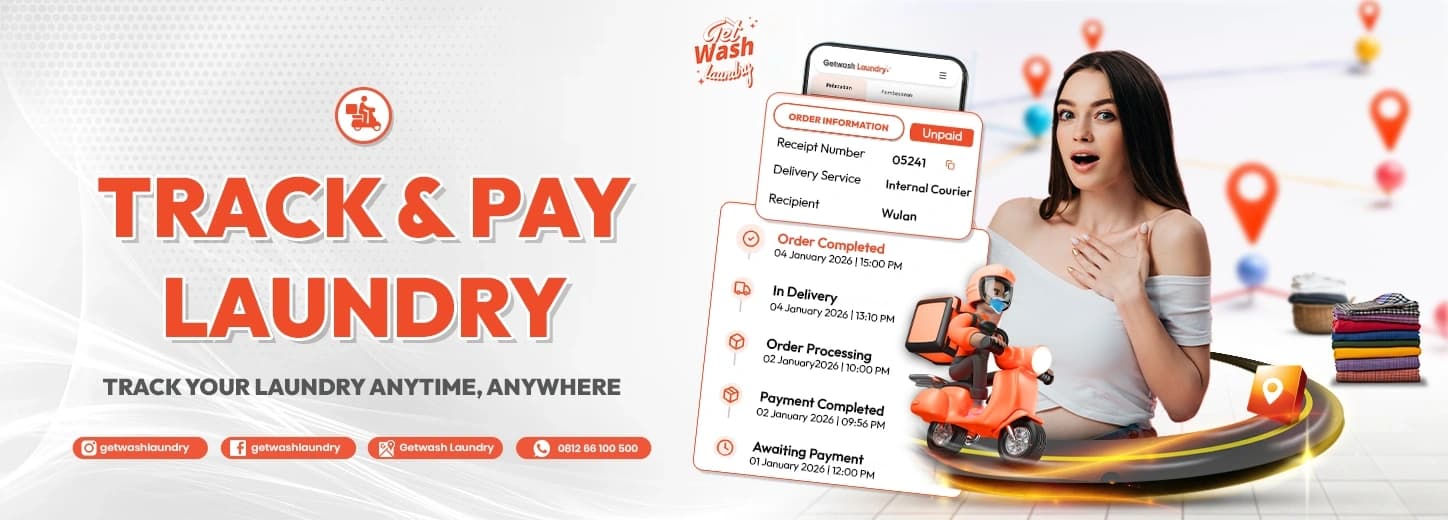
You will see two tabs: Tracking and Payment. The Tracking tab shows Laundry Information: receipt number, delivery service, recipient name, and payment status such as Unpaid. Below it is a timeline showing the order's stages with dates and times.
If payment is not yet complete, the Pay Now button appears here. That button is the gateway to the next step.
The Payment tab shows Order Details: service type, item count, and weight for per-kilo services. Below are payment options such as virtual account, e-wallet, bank transfer, and credit card. In the example in our official guide, the method used is QRIS.
If you choose QRIS, a window with the Total Bill and a QR code appears. Open your favourite payment app, scan the code, and confirm. Then tap Check Status so the page checks whether payment has arrived.
As soon as payment succeeds, the receipt and order details can be opened. The receipt lists subtotal, discount, total price, remaining balance, item count, chosen fragrance, and notes. The View Invoice button opens the full details.
After your laundry or parcel arrives, tap Done in the confirmation window. By tapping it you state that the laundry service was received in good order and nothing needs to be complained about. If you do not tap it, the system completes it automatically within 1x24 hours.
We want one page to be enough for the three questions we hear most: where is my laundry, how much do I owe, and is everything settled. With a single entry point, you do not have to jump from WhatsApp to another app, and our team does not have to answer the same questions repeatedly.
Status updates whenever the order's stage changes, so there is no need to open the page every five minutes. Check when you first receive your order number, when the estimated completion nears, and after a delivery notice.
Our customer service hours are Monday–Friday 09:00–17:00 and Saturday 09:00–15:00, closed on Sunday. The tracking page itself can be opened at any time, including at night and on Sunday, so you can still see where your order is while the office is closed.
Customers living in apartments usually like one thing about the tracking page: they know when to come downstairs for delivery without waiting for a courier's call. Office workers like another: the digital receipt is neatly stored for expense claims. Two different needs, one flow.
“I just open the tracking page, enter the number, and I know which stage my clothes are at. No more waiting for a chat reply.” — An illustration of a Getwash customer experience
Now that you know the steps, this part helps you interpret what appears on screen. This is where most customer questions arise.
The order number, which also appears as Receipt No., is your order's identity. It starts with GTWASH- followed by digits. One number represents one order, so if you send laundry twice in a week, you have two different numbers.
If your number is not recognised, check two things: whether the letter O has been swapped for the digit 0, and whether a space was copied at the start or end. These two small slips are the most common reason a number is "not found".
The PIN is not a password you must memorise. It is the last 5 digits of the phone number used when ordering. Importantly, it is the number registered on the order, not the phone you are holding. If the order was placed in a spouse's, office's, or assistant's name, the PIN follows the registered number.
The timeline on the Tracking tab shows statuses with the newest on top. Here is what they mean in plain language.

Meaning of five order statuses
The sample display in our guide shows dates running from 9 to 14 September 2023, and each status has a timestamp. That timestamp is useful: if a stage feels long, you have an objective reference to ask our team about.
Above the timeline is a Laundry Information box. It shows payment status (for example Unpaid), the delivery service (for example an in-house courier), and the recipient. Check the recipient name. If you want someone else to receive the order, such as an apartment security guard or a household assistant, tell Customer Service beforehand so it is recorded.
The status on the tracking page is the system's official record. Word from the courier is live and real-time, for example "I'm in front of the building". They complement each other. If they seem to conflict, for example the courier is waiting while the status has not changed, tell us so we can check.
Turnaround depends on the service you choose. Express laundry has a different rhythm from dry cleaning or bag and shoe care, which need longer stages. Ask for the estimated completion when ordering, then use the tracking page to see whether the order is following that estimate.
Imagine you order care for one suit and four shirts on Monday morning. On Monday afternoon the order number arrives by message. You open the tracking page and see Awaiting Payment. You pay by QRIS, and moments later the status becomes Order Paid. On Tuesday morning the timeline shows Order Processing. On Wednesday afternoon Out for Delivery appears and you get ready for the courier. Once the items are in hand and checked, you tap Done.
Notice that during this entire journey you did not need to call once. That is the point of this page.
Every status change on your screen represents real work behind it. When the status becomes Order Paid, administration places your order into the processing schedule. When it becomes Order Processing, your item has moved to the care team, who check the label, choose a method suited to the material, and treat stains if any. When it becomes Out for Delivery, the item has passed final inspection, been packed, and handed to a courier.
So a status is not decoration. It signals that a piece of work has been passed cleanly from one pair of hands to the next. And because each handover is timestamped, if something is missed we can trace it to the exact stage.
These are simple questions, but customers who ask them usually feel far more in control, and the results match their expectations better.
There are two customer styles. The first waits for news, then reacts. The second monitors the tracking page and asks only when needed. The second style almost always gets answers faster, because when they contact us they already have the order number and last status, and the question is specific.
An order that contains several item types, such as shirts, a suit, and shoes, can pass through different stages. Shoe and bag care, for instance, has its own flow compared with everyday clothes. If the status feels uneven, ask which part is currently being handled. In many cases the simpler items finish first and wait for the items needing longer care so they can be delivered together.
Paying from the tracking page means you do not need cash ready when the courier arrives. Here is what you should know.

Online payment methods
If you prefer cash, payment can also be made at an outlet or at handover when agreed with Customer Service. The methods available for a given order appear on the Payment tab.
QRIS is best when you want speed, since there is no number to copy. Virtual account suits bills paid by an office or finance team, because the number can be forwarded. Credit card suits payments you want neatly recorded on a monthly statement.
The receipt that appears after successful payment has several important lines.
At the bottom of the receipt are links to Terms & Conditions and the Privacy Policy, plus View Invoice and Complete buttons. The numbers in our sample image are only illustrations to show the layout.
In the sample receipt, total price and remaining balance appear different. That signals that part of the bill was paid earlier. If the remaining balance does not match what you remember, do not pay yet. Send your order number and a screenshot to WhatsApp 0812-6610-0500, and we will check the records.
Since 20 June 2026, pickup and delivery is no longer free and uses zone pricing: Zone 1 (0–3 km) Rp8,000, Zone 2 (3–7 km) Rp15,000, Zone 3 (over 7 km) Rp22,000 per trip. Customer Service confirms the details for your location when you order. More on the contact page.
According to the tracking page, the payment method can still be changed as long as the order has not reached the washing stage. If payment is late, the order is held temporarily. Because this rule may differ for certain services, confirm with Customer Service if you want to delay payment.
For customers who entrust high-value items and prioritise privacy, this habit matters. The order number and PIN are access to your order information. Share them only with people who truly need them, such as an assistant receiving the delivery.
Digital payment leaves a trail. You have proof of when you paid, how much, and by which method, which helps if there is any discrepancy. For business customers, the trail simplifies bookkeeping. For families, it avoids cash going astray or change being miscounted at the door.
Hotels, spas, clinics, and other businesses using B2B laundry usually have their own billing arrangement. Contact our business team through the contact form to discuss it, rather than paying per order on the tracking page.
Payment should be made only through the official tracking page or the channels listed on the contact page. If anyone asks you to transfer to a personal account or sends a payment link from an unknown number, stop and contact us via WhatsApp 0812-6610-0500. This simple habit protects you from scams that are increasingly common in message-based services.
Because the price breakdown, discount, and remaining balance are visible before you pay, you can estimate monthly laundry spending more accurately. Regular customers usually keep screenshots of each receipt and add them up at month's end. It also helps families see which services they use most, and whether zone-priced pickups should be combined into one order.
Because pickup and delivery is charged per trip, combining everyday clothes, a bedcover, and shoes in one order is generally cheaper than ordering separately. On the tracking page everything appears under one order number, so monitoring is simpler too.
If you were happy, simply mention your previous order when ordering again. That way preferences such as fragrance and care notes can be reapplied, and you do not need to explain from scratch.
Many customers assume everything is settled once the courier leaves. In fact, there is one last step that protects you and helps us improve.

Done, Complain, or automatic
The confirmation window asks Complete this order? By tapping Done, you state that the entire laundry service was received in good order and nothing needs to be complained about. The transaction is then closed.
Tap Complain if you find anything that does not match: a stain still visible, a missing item, or damage. Do not tap Done before you have checked the items. Checking right when the items are received is the best habit, since the condition is fresh in memory and the initial inspection notes are still easy to compare.
If you tap nothing, the order is declared complete automatically within 1x24 hours. That means do not postpone checking. Inspect the items on the same day you receive them. If you need more time, message WhatsApp 0812-6610-0500 before that limit passes.
An unsatisfactory result can be submitted for rewash under Getwash policy. Prepare your order number and photos of the item's condition. The full explanation is on the Rewash page in the Information menu of our website.
The final confirmation also offers a feedback link and a Google Maps rating. Honest reviews, praise or criticism, help other customers decide and help us find what to improve. You may ignore them, but we read them all.
A complaint with photos and an order number is almost always handled faster, because the team does not have to guess.
Handover is where our work meets your decision. A few habits help: provide a bright space, inspect high-value items with the courier, count the items, and only then tap Done. If you receive items at an apartment lobby or office, do a short check on the spot and keep a photo if anything seems doubtful.
This confirmation system gives you control. You declare the order settled, not us. If the system closed the order the instant the courier arrived, you would have no room to inspect. With the Done and Complain buttons, the final decision rests with you.
For bags, shoes, and branded clothes entrusted to us, we suggest checking together with the courier at handover. Getwash is trusted as the laundry of choice for high-profile customers, and for them privacy is part of the service: order information is opened only to those who need it.
No system is free of small hiccups. Here are the most frequent ones, with steps to resolve them before you need to contact anyone.

Common problems and fixes
Check the letter O versus digit 0, remove any spaces that came with copying, and make sure the GTWASH- prefix is complete. If it still fails, the order may have just been created and not yet fully recorded. Wait a few minutes and try again.
Make sure you use the last 5 digits of the phone number registered on the order, not the number you are currently using. If the order was made by someone else or from an office number, ask the person who made it for that number.
Status follows stage changes, not the clock. If a stage naturally takes longer, such as stain treatment or special care, the status can stay at the same stage. Ask for the expected time through WhatsApp 0812-6610-0500 quoting your order number.
Tap Check Status in the payment window, then reload the page. If it still has not changed after a few minutes, send a screenshot of your proof of payment and the order number to Customer Service. Do not pay twice.
Look for the confirmation message from Getwash in SMS or WhatsApp. If you cannot find it, contact WhatsApp 0812-6610-0500, give the name and phone number used when ordering, and our team will help trace it.
Contact us and quote the order number. We will check the courier's position and give a new estimate. Remember that delivery follows operating hours: Monday–Friday 09:00–17:00, Saturday 09:00–15:00, and closed on Sunday.
Try reloading, switch networks (Wi-Fi to mobile data or vice versa), or open it in another browser. Make sure the address is correct. If the page still has issues, tell us on WhatsApp so we can check the status manually.
Contact Customer Service immediately with the order number and photos of the issue. We will assess the case. We do not promise every request can be granted, but every case is reviewed seriously.
A call suits urgent matters, such as a courier who cannot find the address or a recipient change minutes before arrival. For everything else, a written message is better because it leaves a record.
Some orders do not follow the standard flow: items needing layered stain treatment, high-value bags or shoes needing re-inspection, or special requests. For such cases the care team may contact you before continuing, and the status on the tracking page adjusts. That is not delay, it is caution.
In our experience, the smoothest cases are those with complete information from the start: photos of the item, stain history, and a deadline. See the guide to writing a first message on the contact page.
The best way to use the tracking page differs from person to person. Pick the one closest to your situation.
Save the order number in a shared family note, such as a family WhatsApp group, so anyone at home can check and receive the delivery. Remember the PIN follows the ordering number, so also share those 5 digits with someone you trust.
Use the digital receipt as proof for expense claims. Pay from your phone during a break, then glance at the status before heading home. Because our office is closed on Sunday and closes earlier on Saturday, plan urgent orders before Friday afternoon.
Send luggage, bags, and clothes several days before departure. Monitor the status from anywhere in a browser, and ask for delivery to an address where someone will be present. If you are out of town, name a recipient and note it on the order.
Getwash is the laundry of choice for officials, public figures, business people, and celebrities, and is accustomed to handling high-end branded items. If you want extra privacy, say so in your first message: who may receive the items, preferred delivery hours, and whether the order should be discussed through one contact only. Do not share tracking-page screenshots showing the order number in public groups.
If your volume is large and regular, B2B laundry is more efficient than single orders. Discuss fixed pickup schedules and billing arrangements through our business team.
Start with a small order. Follow the whole flow from order number to Done so you learn the rhythm. After that, ordering again feels very light.
Scenario A: an urgent order. A customer orders suit care on Thursday morning for a Saturday event. She pays by QRIS at nine, and the status immediately becomes Order Paid. On Friday noon it changes to Out for Delivery. Because she monitored the tracking page, she knew to be home in the afternoon, and the suit arrived a day before the event. The key: pay early, because an unpaid order does not move into full processing.
Scenario B: an order paid by an office. A small office sends staff uniforms. Finance asks for a virtual account number so they can pay by scheduled transfer. The admin opens the tracking page with the order number and the PIN from the registered phone number, then sends a receipt screenshot to finance as proof. No cash changes hands and no handwritten receipt is needed.
Scenario C: an item needing extra attention. A customer sends a bag with an old ink stain. Its status stays at Order Processing longer than everyday clothes, and the team contacts her to explain the chances and risks of stain treatment before continuing. After she agrees, the status moves again. Without the tracking page this pause might feel like a delay; with it, she knows her order is being handled, not forgotten.
An order's record starts well before the order number reaches your phone. When items are received, staff note the service type, item count, and weight for per-kilo orders. For certain items, the initial condition is also documented. These records later appear as Order Details on the Payment tab, so the numbers you see are not estimates but the result of recording.
So if the item count on screen differs from what you remember, tell us right away. A difference found early is far easier to trace than one found after the order is complete.
The tracking page answers questions about status and payment. For other matters there are more suitable channels. Price and pickup-schedule questions go through WhatsApp 0812-6610-0500. Business partnership questions go through the form on the contact page. New orders go through the order page. Understanding this split saves time because your message reaches the right team on the first try.
There are several fair reasons. The actual weight of per-kilo laundry may differ from the estimate at ordering. Extra services such as stain treatment or special care may be added after inspection. Pickup and delivery follows distance zones. And applicable discounts appear on the Discount line. All of these components are visible on the receipt, so you can match them one by one.
If any figure is unclear, ask before paying. That is your right, and we would rather explain at the start than untangle a misunderstanding at the end.
We suggest three simple things. First, keep the message containing the order number. Second, keep a screenshot of the receipt once payment succeeds. Third, keep photos of high-value items before handing them over. These three files are enough to settle almost any later question about quantity, price, or condition.
Two things changed that relate to your bill. First, since 20 June 2026 pickup and delivery uses zone rates, so it appears as a cost component. Second, customer service hours are now Monday–Friday 09:00–17:00 and Saturday 09:00–15:00. If you find older information in blogs, directories, or circulating screenshots, what applies is the latest information on this page and Customer Service's confirmation when you order.
Order data, phone numbers, and addresses are used only to run the service. Access to order details is limited to the team that needs it, and the tracking page asks for a PIN so that not just anyone who knows an order number can open it. The full policy is available through the Privacy Policy link on the receipt and on the website.
Using these terms precisely shortens conversations and speeds up handling.
Follow us on Instagram, TikTok, Facebook, and Threads. Want to try? Order laundry now or visit us at Jl. Ceger Raya No.42, Jurang Mangu Barat, Kec. Pd. Aren, Kota Tangerang Selatan, Banten 15222.
A good laundry service is not only about the cleaning result but also about peace of mind while you wait. The tracking page is how we give you that: you always know where your items are, what you owe, and what comes next. If any part is still confusing, tell us, and we will update this guide.
Open getwashlaundry.id/id/lacak, enter your order number (GTWASH-xxx format) and a PIN made of the last 5 digits of the phone number used when ordering, then tap Track Delivery.
The PIN is the last 5 digits of the phone number registered on the order. It ensures only the orderer or someone you trust can see the order details.
The order number is sent by SMS or WhatsApp after your clothes are collected or received at the outlet, and is also printed on the receipt.
In turn: the bill is unpaid, payment is verified, items are being worked on, items are on the way or ready for collection, and the transaction is closed after receipt.
QRIS, e-wallet, virtual account, bank transfer, and credit card. Cash is also possible at an outlet or as agreed with Customer Service.
Open the Payment tab, choose QRIS, scan the code with a bank or e-wallet app, then tap Check Status to confirm payment has arrived.
Tap Check Status and reload the page. If it has not changed, send your proof of payment and order number to WhatsApp 0812-6610-0500. Do not pay twice.
Remaining Balance is the part of the bill still unpaid. If the figure differs from what you expect, contact Customer Service before paying.
The order is automatically declared complete within 1x24 hours, so inspect your items on the same day you receive them.
Tap Complain or contact us with your order number and photos. An unsatisfactory result can be submitted for rewash under Getwash policy.
The tracking page requires an order number. If you lost it, contact WhatsApp 0812-6610-0500 with the name and phone number used when ordering and we will help trace it.
Yes, at any time. Customer service runs Monday–Friday 09:00–17:00 and Saturday 09:00–15:00, closed on Sunday.
Yes, since 20 June 2026: Zone 1 (0–3 km) Rp8,000, Zone 2 (3–7 km) Rp15,000, Zone 3 (over 7 km) Rp22,000 per trip, based on distance from the nearest outlet.
No. Just open the tracking page in a browser and enter the order number and PIN.
Share the order number and PIN only with people who need them, avoid posting screenshots showing the order number, and tell Customer Service about any special privacy request in your first message.
Yes. Getwash is trusted as the laundry of choice for officials, public figures, business people, and celebrities, and is accustomed to handling high-end branded clothes, bags, and shoes with privacy protected.
By WhatsApp or phone at 0812-6610-0500, or the contact form at getwashlaundry.id/contact-us. The head office is at Jl. Ceger Raya No.42, Jurang Mangu Barat, Pondok Aren.